
Tooling

A collection of developer tools that improve the experience of working with @volvo-cars/css: editor support, linting, and runtime utilities.
VS Code extension
Section titled “VS Code extension”The official Volvo Car CSS IntelliSense extension for Visual Studio Code provides autocomplete, hover previews, and quick access to documentation for design system classes and tokens.
Autocomplete
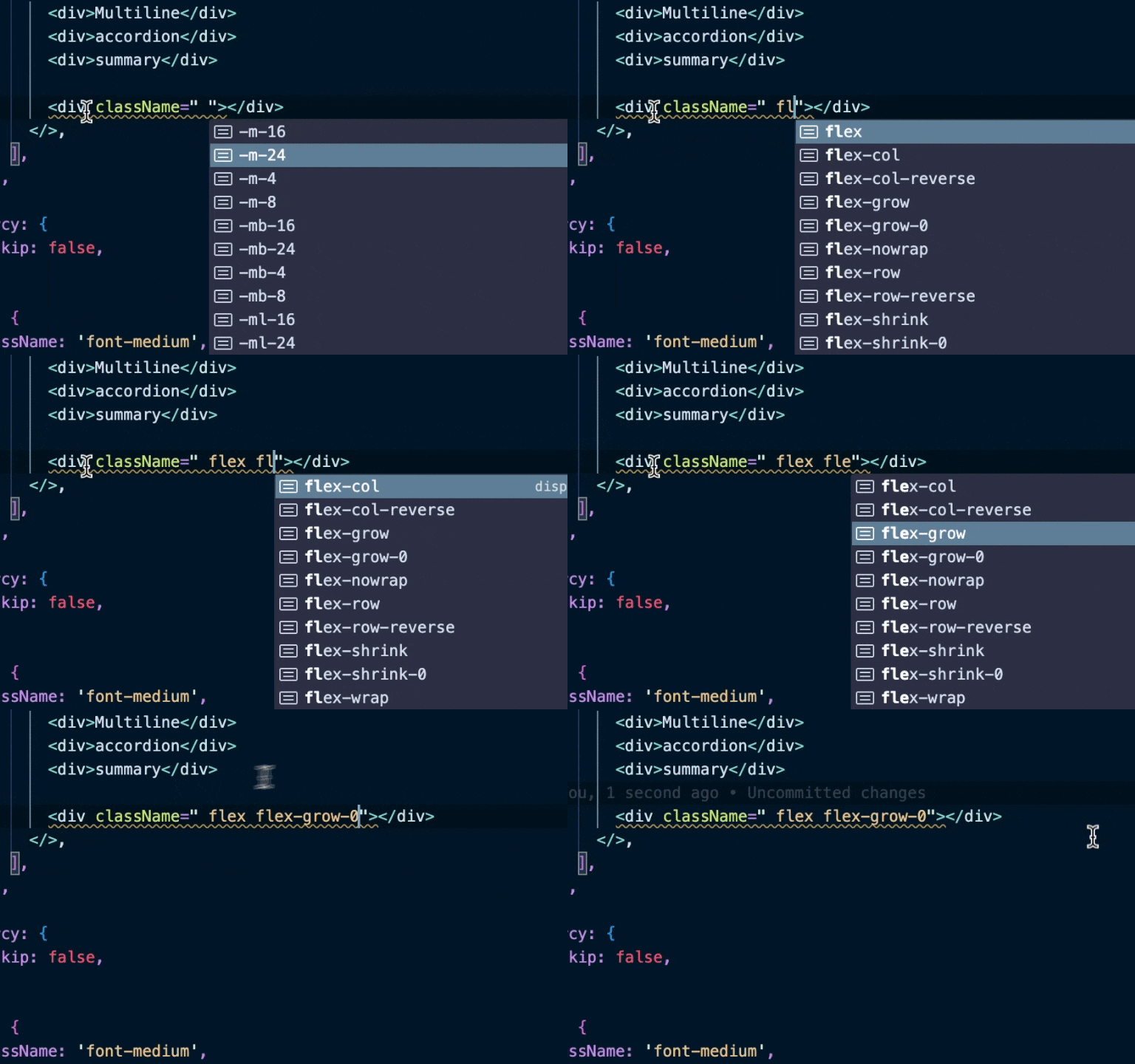
Section titled “Autocomplete”Intelligent suggestions for class names, CSS custom properties, and custom media tokens as you type.
Hover previews
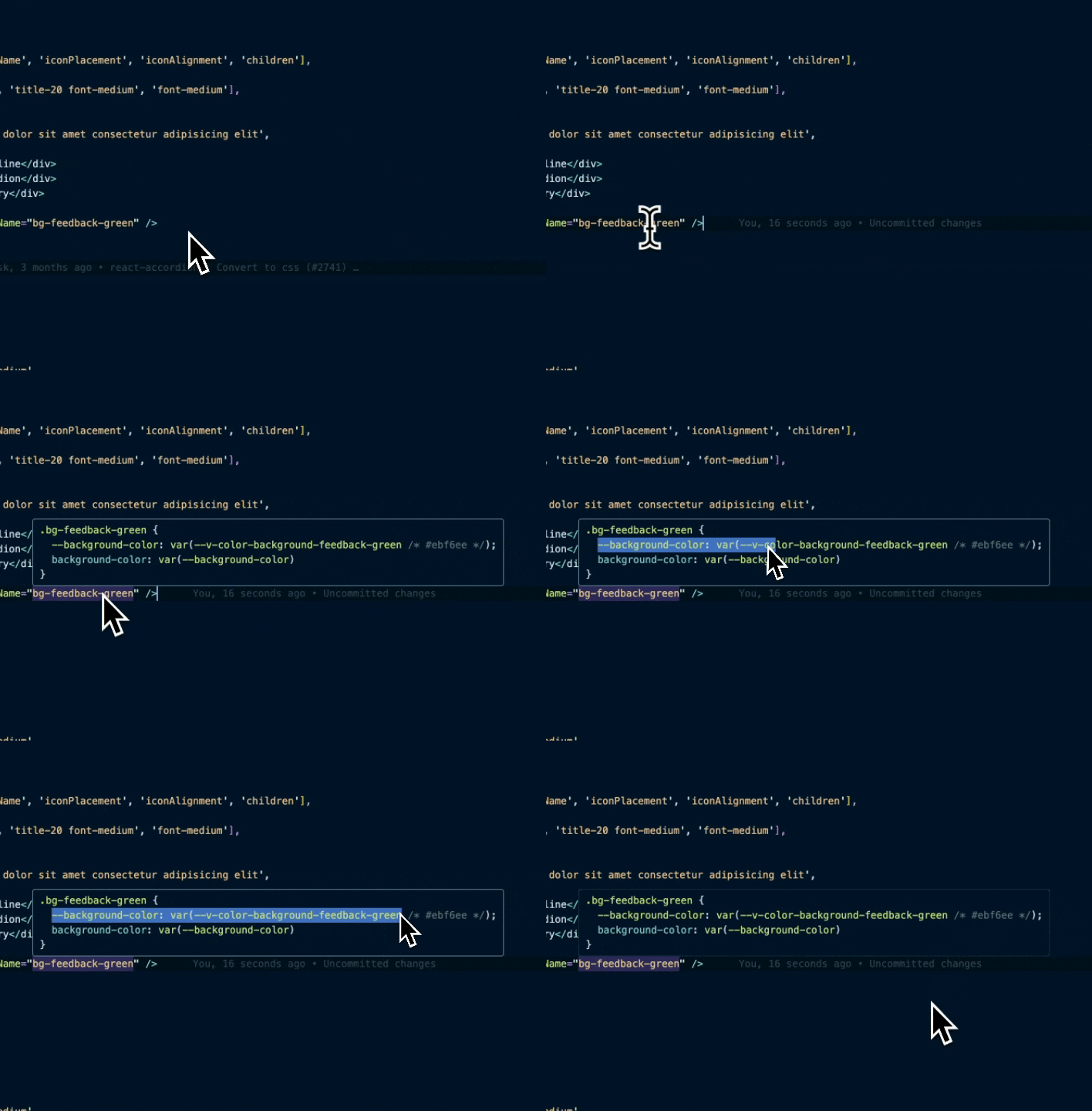
Section titled “Hover previews”See the complete CSS for any Volvo Car class name or token by hovering over it.
EDLS users
Section titled “EDLS users”To include @volvo-cars/edls-css classes in IntelliSense, add the following to your .vscode/settings.json:
{ "volvoCarsCss.metaFiles": [ "./node_modules/@volvo-cars/css/dist/meta.json", "./node_modules/@volvo-cars/edls-css/dist/meta.json" ]}Linting
Section titled “Linting”We provide both Stylelint and ESLint configurations to catch issues early and enforce design system best practices.
Stylelint
Section titled “Stylelint”We recommend using Stylelint with the Volvo Car configuration to lint your CSS.
yarn add --dev stylelint @volvo-cars/stylelint-configIn your .stylelintrc:
extends: - '@volvo-cars/stylelint-config' # Optional: enforce a consistent CSS property order - '@volvo-cars/stylelint-config/order'This configuration will warn you about common issues such as using physical properties (margin-left) instead of logical properties (margin-inline-start).
ESLint
Section titled “ESLint”The @volvo-cars/eslint-plugin-css plugin enforces best practices when using Volvo Car CSS classes in your markup.
yarn add --dev eslint @volvo-cars/eslint-plugin-cssSupported rules
Section titled “Supported rules”| Rule | Description |
|---|---|
deprecated-class | Detect deprecated class names |
conflicting-class | Detect conflicting class names on the same element |
redundant-class | Detect redundant (duplicate-effect) class names |
no-custom-class | Detect class names that don’t belong to the system |
Configuration
Section titled “Configuration”plugins: - '@volvo-cars/css'
rules: '@volvo-cars/css/deprecated-class': 'error' '@volvo-cars/css/redundant-class': 'warn' '@volvo-cars/css/conflicting-class': 'warn' '@volvo-cars/css/no-custom-class': [ 'warn', { whitelist: ['custom-class-to-whitelist'], whitelistPattern: '^somePrefix-.*', }, ]EDLS users
Section titled “EDLS users”To use @volvo-cars/edls-css together with the ESLint plugin, add the following to your .eslintrc so the plugin recognises EDLS classes:
settings: css: metaFiles: - '@volvo-cars/css/meta.json' - '@volvo-cars/edls-css/meta.json'Class name utilities
Section titled “Class name utilities”@volvo-cars/css ships two helper functions for working with class name strings: cssJoin and cssMerge. They replace the need for third-party libraries like clsx or classnames.
cssJoin
Section titled “cssJoin”Conditionally joins strings of class names together, filtering out falsy values.
import { cssJoin } from '@volvo-cars/css/utils';
cssJoin('bg-secondary text-primary', hasContent && 'px-24');cssJoin(['bg-secondary text-primary'], hasContent && 'px-24');
Results in the string bg-secondary text-primary px-24.
cssMerge
Section titled “cssMerge”Joins classes like cssJoin, but also merges conflicting class names that apply to the same CSS property. This lets you override styles without worrying about source order in the stylesheet.
The problem
Section titled “The problem”Consider a card component that accepts a className prop:
function Card(props) {  return (    <div      {...props}      className={`bg-secondary px-16 py-32 ${props.className || ''}`}    />  );}
function SuccessCard(props) {  return <Card {...props} className="bg-feedback-green p-64" />;}
<SuccessCard> renders class="bg-secondary px-16 py-32 bg-feedback-green p-64". Which background color and padding win? That depends on the order they appear in the .css files. Not the order in the className string.
The solution
Section titled “The solution”import { cssMerge } from '@volvo-cars/css/utils';
function Card(props) { return ( <div {...props} className={cssMerge('bg-secondary px-16 py-32', props.className)} /> );}
function SuccessCard(props) { return <Card {...props} className="bg-feedback-green p-64" />;}Now <SuccessCard> renders class="p-64 bg-feedback-green": the later arguments win, and conflicting properties are resolved predictably.
Controlling overrides
Section titled “Controlling overrides”If you don’t want consumers to override a specific style, place it last:
cssMerge('px-16 py-32', props.className, 'bg-secondary');Since bg-secondary is added last, it will always win regardless of what props.className contains.