
Radio Button

Radios allow the user to select a single option from a group.
Use RadioGroup and Radio from @volvo-cars/react-forms, or native radio inputs styled by @volvo-cars/css.

Show code
import { Radio, RadioGroup } from '@volvo-cars/react-forms';
export function RadioGroupBasic() { return ( <RadioGroup name="terms" legend="Choose your terms" defaultValue="6000"> <Radio value="6000" label="6,000 km/yr" /> <Radio value="8000" label="8,000 km/yr" /> <Radio value="unlimited" label="Unlimited km/yr" /> </RadioGroup> );}Both RadioGroup and individual Radio components accept a hint prop. The group hint describes the entire set, while per-radio hints add context to individual options. Each hint is linked to its group or radio via aria-describedby. If you pass aria-describedby to a Radio, its references are preserved alongside the radio’s own hint.
Controlled and uncontrolled
Section titled “Controlled and uncontrolled”Uncontrolled
Section titled “Uncontrolled”Pass defaultValue to RadioGroup to pre-select a radio without managing state.
Controlled
Section titled “Controlled”Pass value and onChange to RadioGroup when you need to read or drive the selection from state.
Validation
Section titled “Validation”Set errorMessage on RadioGroup to display an error and mark the group invalid. The error is hidden when the group is disabled. You can also force an invalid state with aria-invalid.
Custom layout with RadioContextProvider
Section titled “Custom layout with RadioContextProvider”RadioGroup renders a <fieldset> with a vertical stack layout. If you need a different layout (horizontal, grid, or integrated into a custom form), use RadioContextProvider directly. Wrap your Radio components in a RadioContextProvider with a name and either defaultValue or value/onChange, and supply your own <fieldset>.
CSS-only usage
Section titled “CSS-only usage”@volvo-cars/css styles native <input type="radio"> elements automatically. No class needed. Group radios inside a <fieldset> with flex-col and stack-16 for correct spacing.
Show code
<fieldset class="flex-col stack-16"> <legend class="mb-4 font-medium">Choose your model</legend> <div class="flex-row"> <input type="radio" name="model" id="ex90" value="ex90" checked /> <label class="ml-8" for="ex90">Volvo EX90</label> </div> <div class="flex-row"> <input type="radio" name="model" id="xc90" value="xc90" /> <label class="ml-8" for="xc90">Volvo XC90</label> </div> <div class="flex-row"> <input type="radio" name="model" id="s90" value="s90" /> <label class="ml-8" for="s90">Volvo S90 Recharge</label> </div></fieldset>With hints
Section titled “With hints”Wrap the label and hint in a flex-col stack-4 container. Use micro text-secondary for the hint text.
Error state
Section titled “Error state”Set aria-invalid on the <fieldset> (not on individual radios). Include an error message with role="alert" linked via aria-describedby.
Custom styling
Section titled “Custom styling”Adding any class to a radio input removes the default design system styles. To keep them while extending, include the radio class alongside your own.
Accessibility
Section titled “Accessibility”Key responsibilities from the WCAG audit:
- Label every radio:
Radiorequires alabelprop. For CSS-only, pair each<input>with a<label htmlFor>. - Group with a legend: always wrap radios in a
<fieldset>with a<legend>.RadioGrouphandles this automatically. - Error on the group: set
aria-invalidandaria-describedbyon the<fieldset>, not on individual radios.RadioGroupwires this whenerrorMessageis set. - Hint association: use
aria-describedbyto link hints to their inputs.Radiodoes this automatically whenhintis provided. - Pointer target size: the radio control may be smaller than the recommended 44×44px target. The adjacent label extends the clickable area but verify it meets your requirements.
- Status messages: VoiceOver in Safari has known issues announcing error messages on radio groups. Test with multiple screen readers.
Keyboard focus
Section titled “Keyboard focus”The default keyboard focus indicator wraps the radio container, including its visible label.
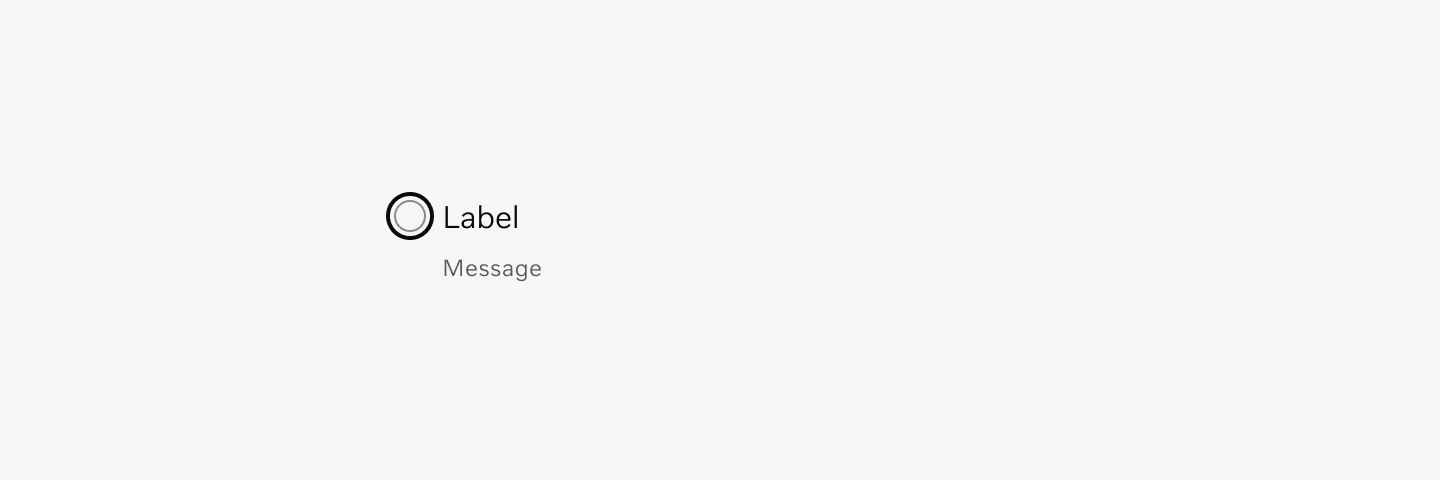
Radio button and label with keyboard focus.
RadioGroup
Section titled “RadioGroup”| Prop | Type | Required | Default |
|---|---|---|---|
legend | ReactNode | ✓ | - |
| The legend to show above the radio group. | |||
name | string | ✓ | - |
| The name of the radios to use when submitting the form. | |||
hint | ReactNode | - | - |
| Additional hint or description for the entire radio group. Supports text, links and block content such as paragraphs or Markdown output. | |||
children | ReactNode | ✓ | - |
| The radios. | |||
required | boolean | - | - |
| Makes the radio group required. | |||
onChange | ChangeEventHandler<HTMLInputElement, Element> | - | - |
| Fires when a radio is selected. | |||
onInvalid | FormEventHandler<HTMLFieldSetElement> | - | - |
| Fires if the radio group fails validation on form submit. | |||
disabled | boolean | - | false |
| Disable all radios in the group. Use sparingly as it can be non-obvious to users why an input has been disabled. Prefer showing validation messages and hints instead. | |||
readOnly | boolean | - | false |
| Makes the radios in the group read-only. Use sparingly, it's often preferred to present the data as regular text or in a table instead. | |||
form | string | - | - |
| Id of a form element that the radios should be associated with. Defaults to the containing form element. | |||
enterKeyHint | "done" | "go" | "next" | "previous" | "search" ... | - | - |
errorMessage | string | - | - |
| Set the error message of a radio group and mark it invalid. | |||
aria-invalid | boolean | - | false |
| Force the radio group to be invalid. | |||
value | string | - | - |
| Select the radio with this value. Either `value` or `defaultValue` must be set. Makes the radio group controlled. | |||
defaultValue | string | - | - |
| Select the uncontrolled radio with this value by default. Either `defaultValue` or `value` must be set. | |||
hidden | boolean | - | - |
id | string | - | - |
title | string | - | - |
dir | string | - | - |
lang | string | - | - |
slot | string | - | - |
translate | "yes" | "no" | - | - |
className | string | - | - |
style | CSSProperties | - | - |
tabIndex | number | - | - |
onPointerDown | PointerEventHandler<Element> | - | - |
onPointerEnter | PointerEventHandler<Element> | - | - |
onPointerLeave | PointerEventHandler<Element> | - | - |
onPointerMove | PointerEventHandler<Element> | - | - |
onPointerUp | PointerEventHandler<Element> | - | - |
| Prop | Type | Required | Default |
|---|---|---|---|
label | string | ✓ | - |
| Concise label for the radio. | |||
value | string | - | on |
| The value that will be submitted with the form data if the radio is selected. @see https://developer.mozilla.org/en-US/docs/Web/HTML/Element/input/radio#data_representation_of_a_radio_group | |||
hidden | boolean | - | - |
id | string | - | - |
title | string | - | - |
dir | string | - | - |
lang | string | - | - |
slot | string | - | - |
translate | "yes" | "no" | - | - |
className | string | - | - |
style | CSSProperties | - | - |
tabIndex | number | - | - |
onPointerDown | PointerEventHandler<Element> | - | - |
onPointerEnter | PointerEventHandler<Element> | - | - |
onPointerLeave | PointerEventHandler<Element> | - | - |
onPointerMove | PointerEventHandler<Element> | - | - |
onPointerUp | PointerEventHandler<Element> | - | - |
disabled | boolean | - | false |
| Disables the input. Use sparingly as it can be non-obvious to users why an input has been disabled. Prefer showing validation messages and hints instead. | |||
autoFocus | boolean | - | false |
| Gives the input focus on page load. Use sparingly as it can be confusing to screen-reader and mobile users. | |||
readOnly | boolean | - | false |
| Makes the input read-only. Use sparingly, it's often preferred to present the data as regular text or in a table instead. | |||
form | string | - | - |
| Id of a form element that this input should be associated with. Defaults to the containing form element. | |||
hint | ReactNode | - | - |
| Additional hint or description. Supports text, links and block content such as paragraphs or Markdown output. | |||
enterKeyHint | "done" | "go" | "next" | "previous" | "search" ... | - | - |
| Hint the browser about what label to show for the Enter button on mobile keyboards. | |||
required | boolean | - | false |
| Makes the input required. | |||
aria-describedby | string | - | - |
aria-labelledby | string | - | - |
onInvalid | FormEventHandler<HTMLInputElement> | - | - |
| Fires if the input fails validation on form submit. | |||
onFocus | FocusEventHandler<HTMLInputElement> | - | - |
onBlur | FocusEventHandler<HTMLInputElement> | - | - |
onKeyDown | KeyboardEventHandler<HTMLInputElement> | - | - |
onKeyUp | KeyboardEventHandler<HTMLInputElement> | - | - |